A coding game · Python and C#
Code Keeper
Run a zoo with real code.
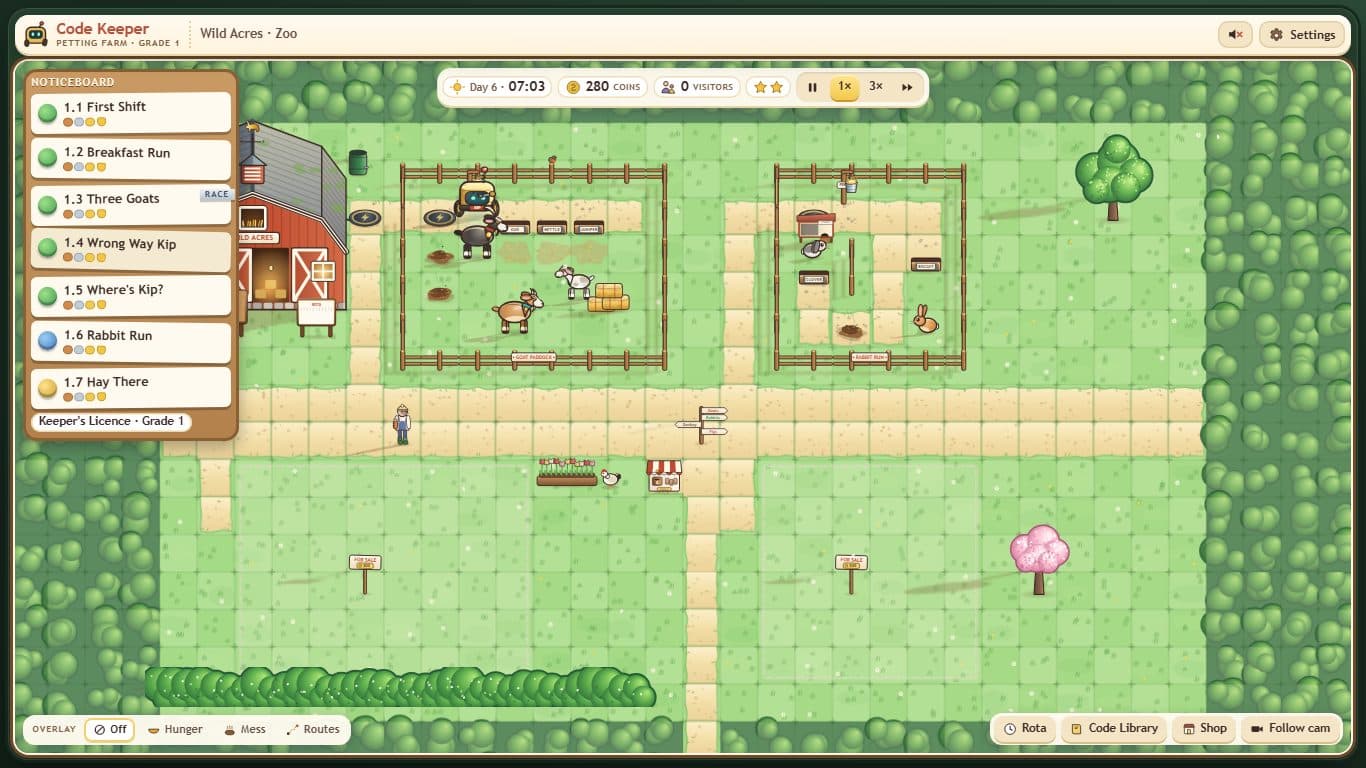
Wild Acres needs a keeper. Write Python or C#, and Kip the robot does exactly what your code says: one line at a time, in order. Feed the goats, muck out the pens and get the zoo ready for the inspector.
Free. Runs in your browser. Your zoo is saved on this computer.
How it works
Step 1
Take a job
Pick a poster from the noticeboard. Each one is a short coding job, like feeding the goats.
Step 2
Write the code
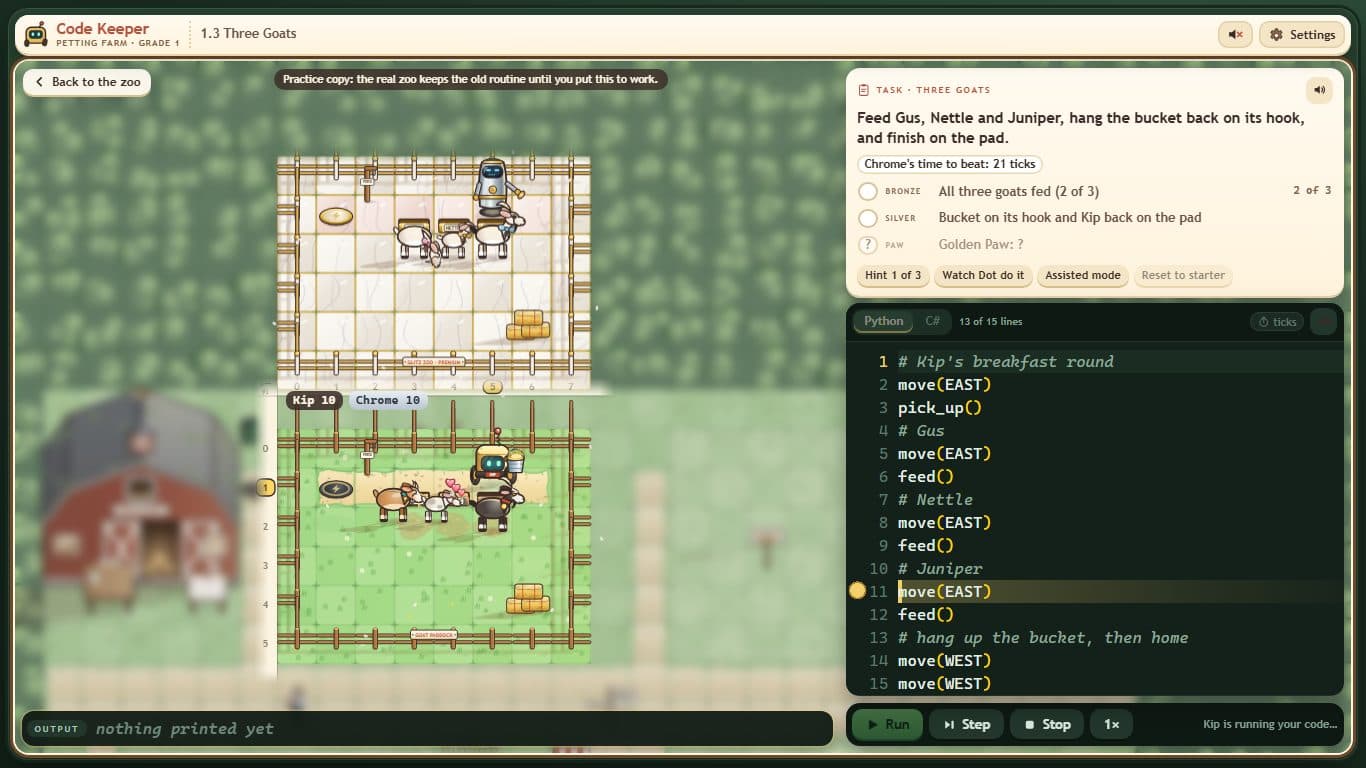
Type the lines in Python or C#. Press Run and watch Kip do exactly what you wrote.
Step 3
Run the zoo
Put your code to work. It runs the zoo every day, and the coins and visitors show how well it went.
For teachers
Code Keeper teaches GCSE programming through short jobs that build on each other. Every job works in Python and in C#, so it fits whichever language your class uses. It is linked to the OCR J277 and AQA 8525 specifications.
Grade 1 · Petting Farm
Sequence: commands, print, comments, the three kinds of error and tracing code by hand.
Grade 2 · Hay Meadow
Count-controlled loops: for loops, the loop variable and off-by-one errors.
Pupils can start straight away with no login. Their progress is saved in the browser on the computer they use.