Teacher
Pick from the library
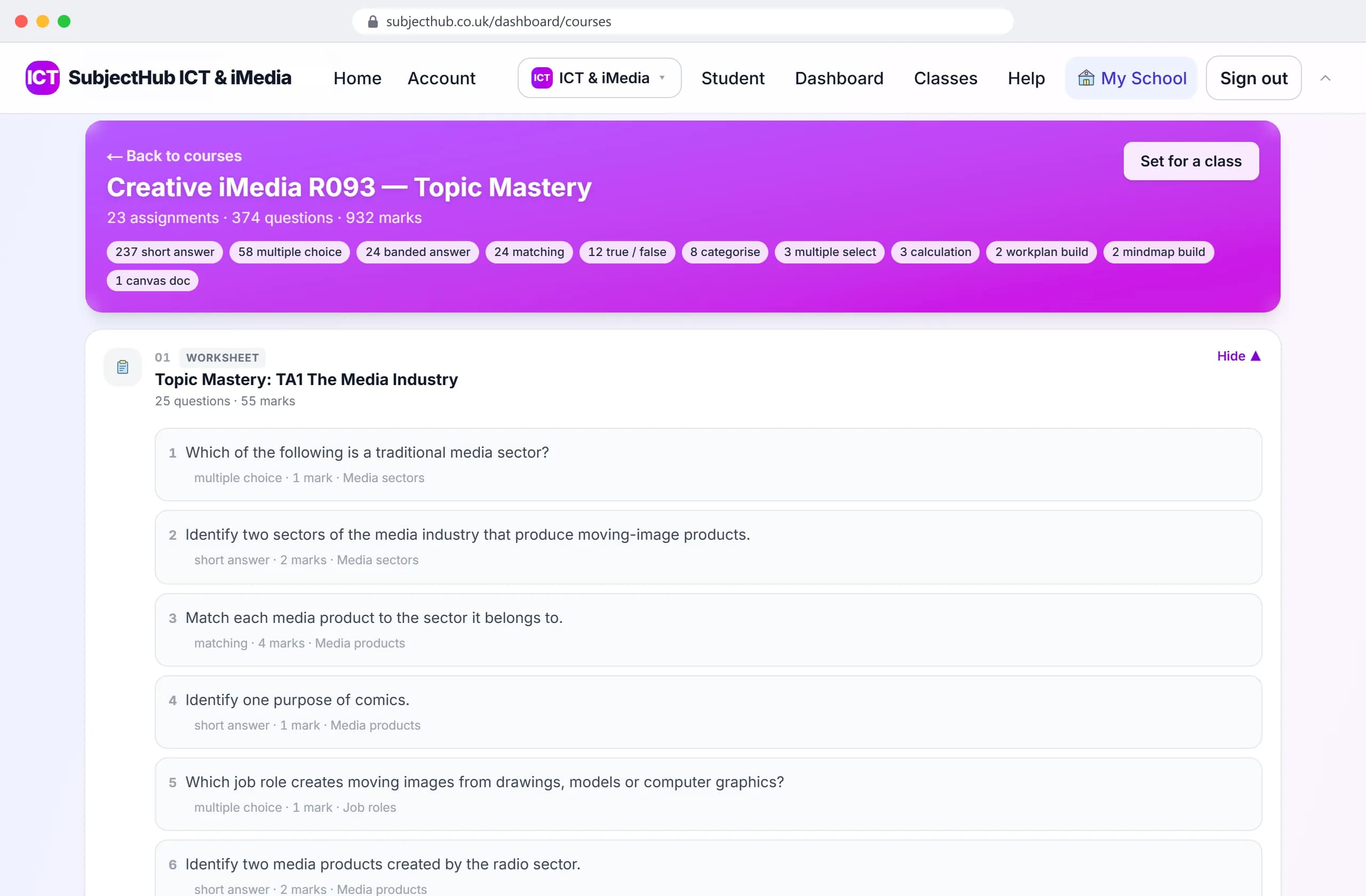
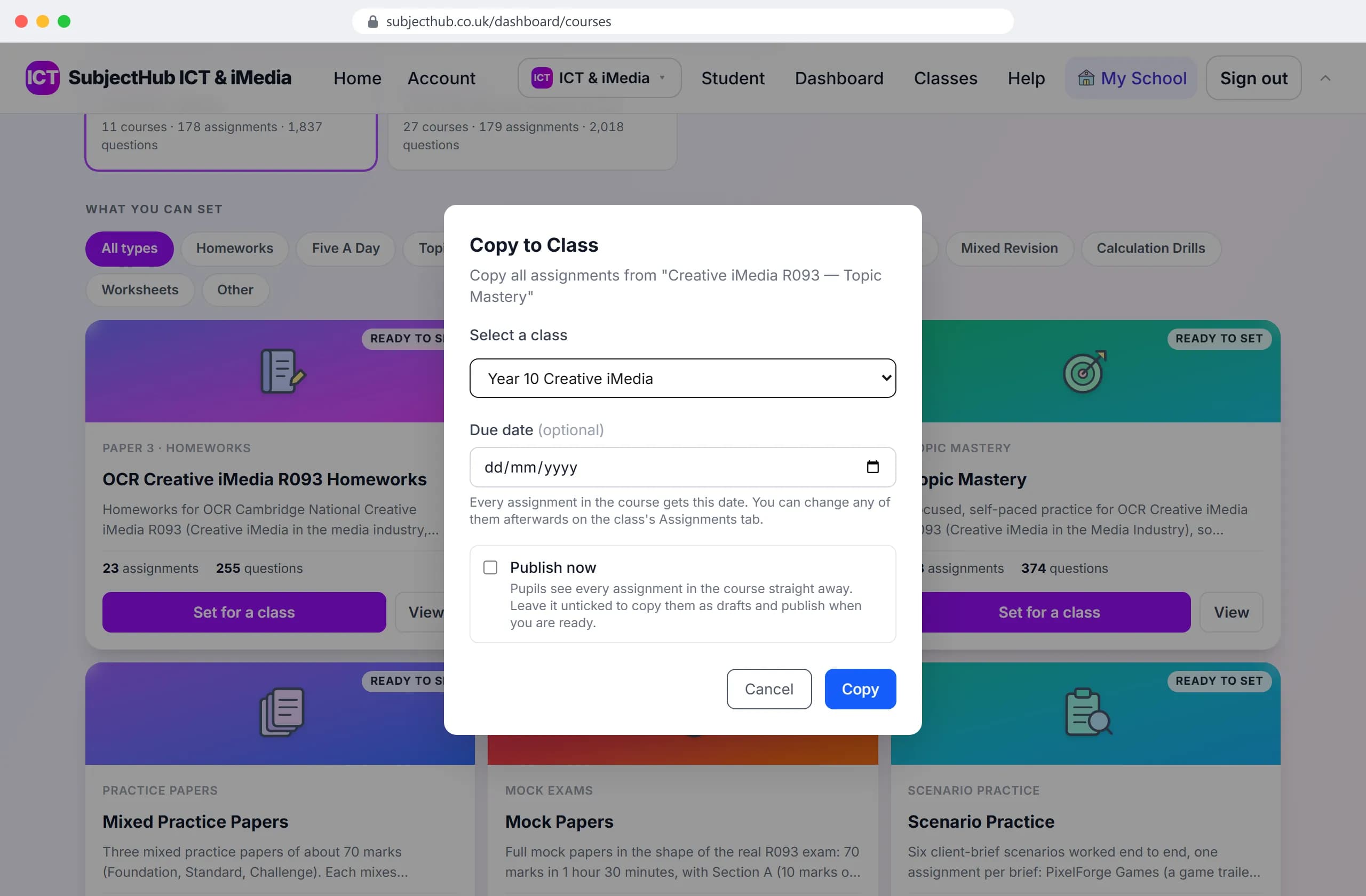
Every course is already written: homework, five-a-day, topic mastery, practice papers and scenario practice.
Filter by type, then open any course and read its questions before you set it.
You pick a ready-made course and set it for a class. Pupils do it and get marked as they go. You see the results by pupil, question and topic. Every screen here is the real product, from a demo class.
Your laptop and a pupil’s tablet, from setting the work to the marks coming back.
Teacher
Pupil
An R093 course in a Year 10 Creative iMedia demo class, from the library to the results. It works the same way in every subject.
Every course is already written: homework, five-a-day, topic mastery, practice papers and scenario practice.
Filter by type, then open any course and read its questions before you set it.
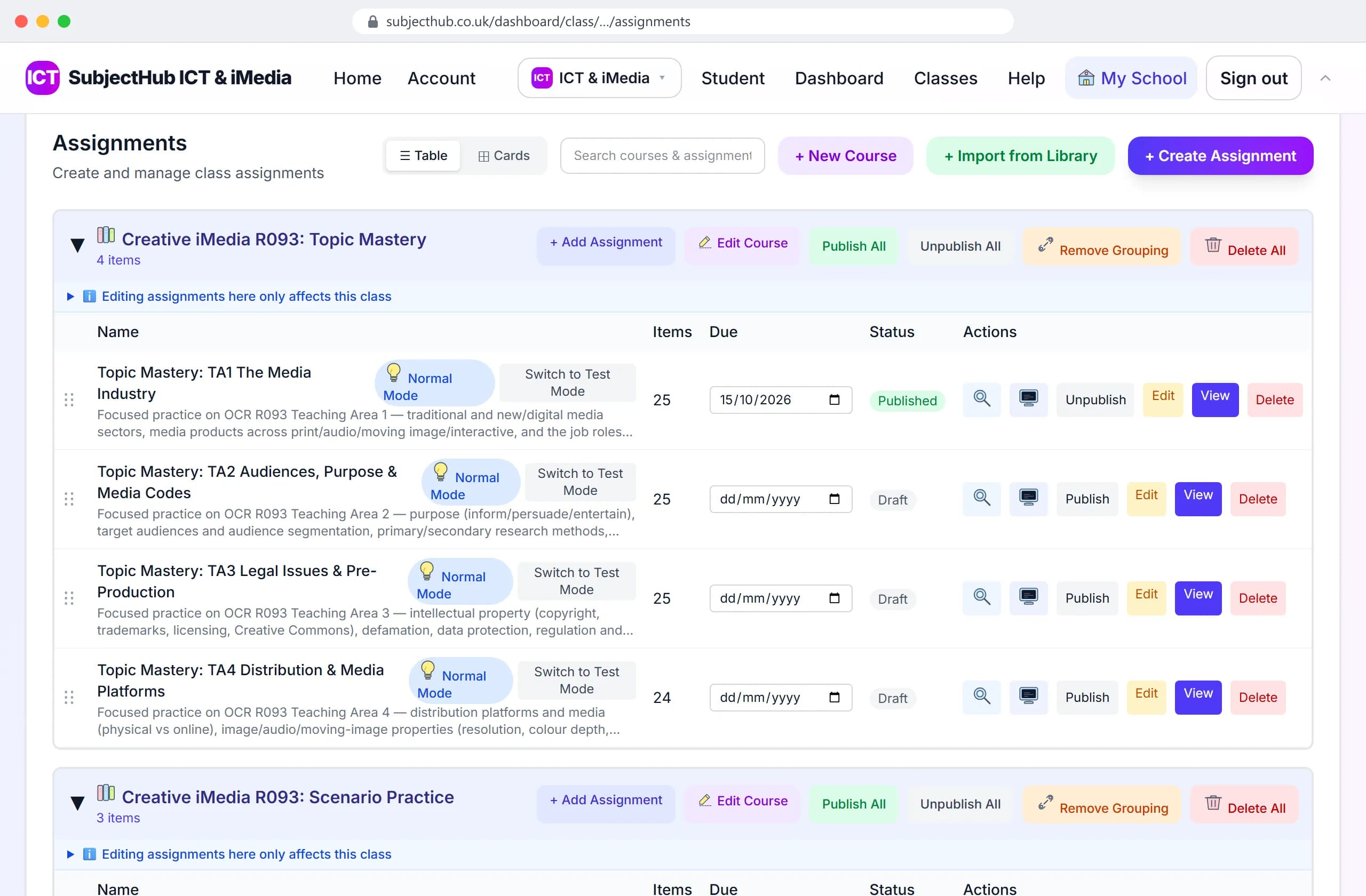
Press Set for a class, choose the class, and every assignment in the course is copied to it.
Due dates, test mode for mocks and publishing are then in one list on the class page.
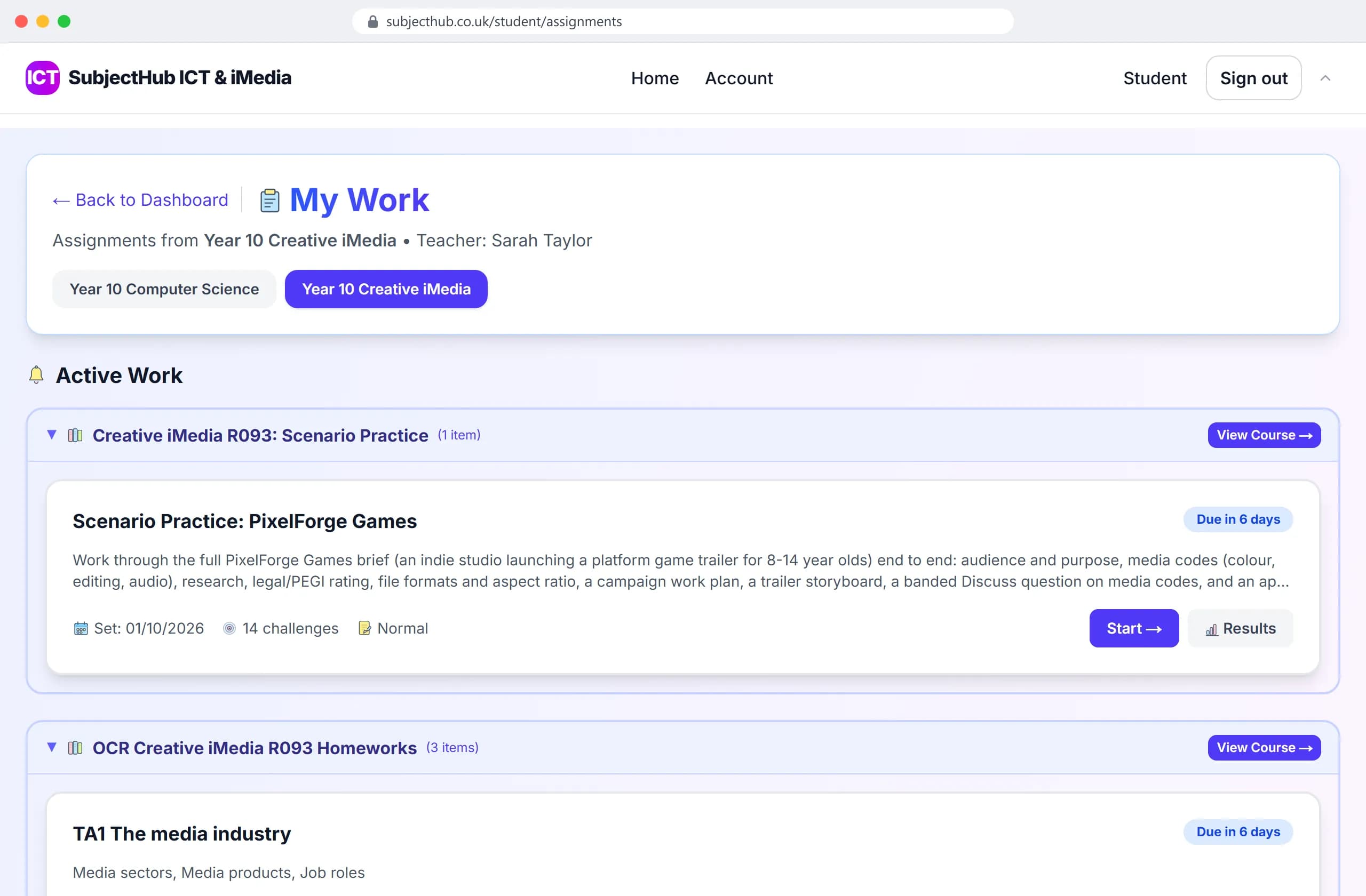
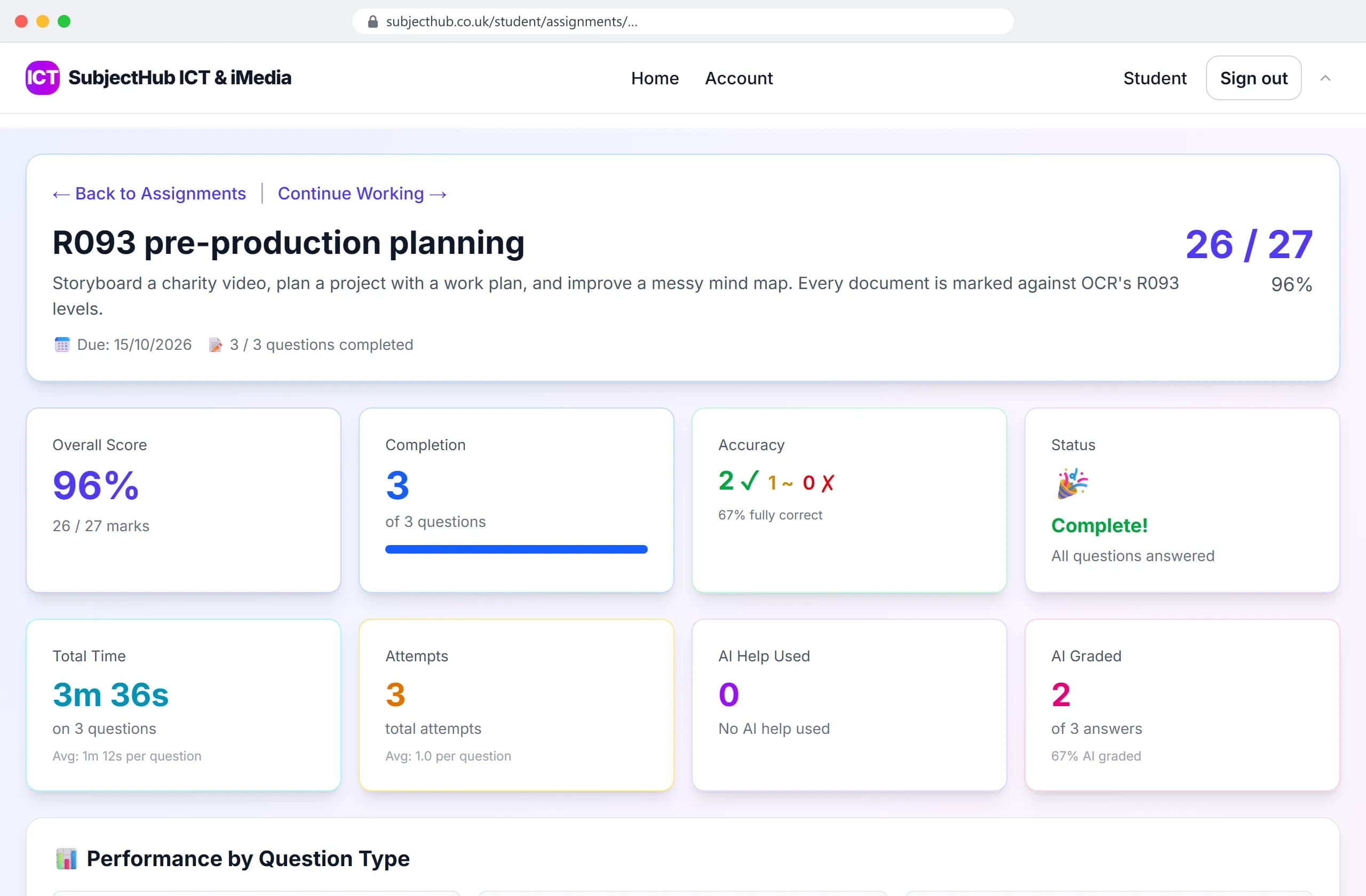
Pupils see what is set and when it is due. Each answer is marked when they submit it, with what was good and what to fix.
Stuck, they can ask Study Help for a hint. It never gives the answer, and it is off in test mode.
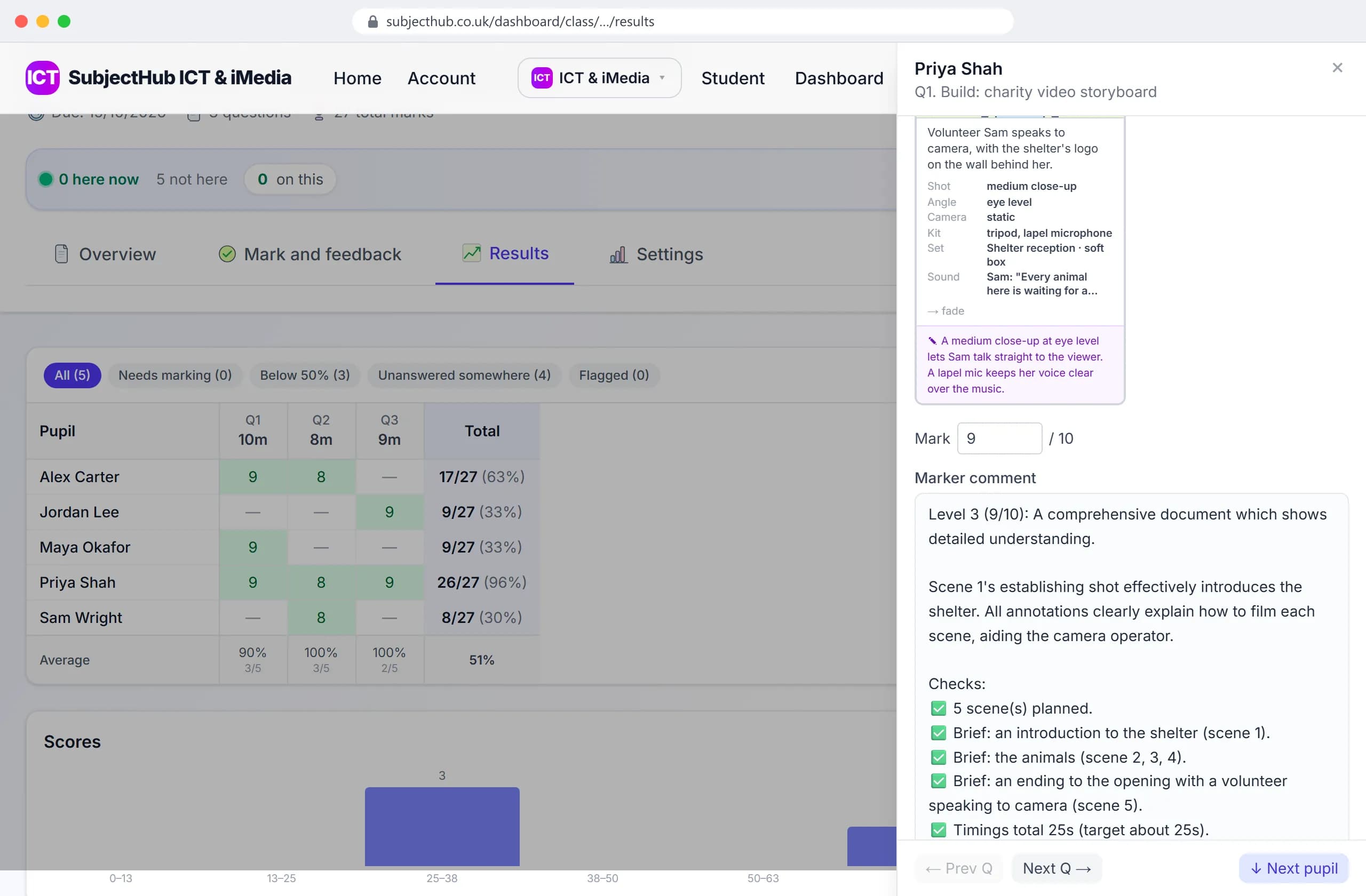
Documents like this storyboard are marked against OCR's R093 levels, with every check listed. A pupil who disagrees can flag the mark for you.
Open any answer from your results: keep the mark, or type a new one and edit the comment.
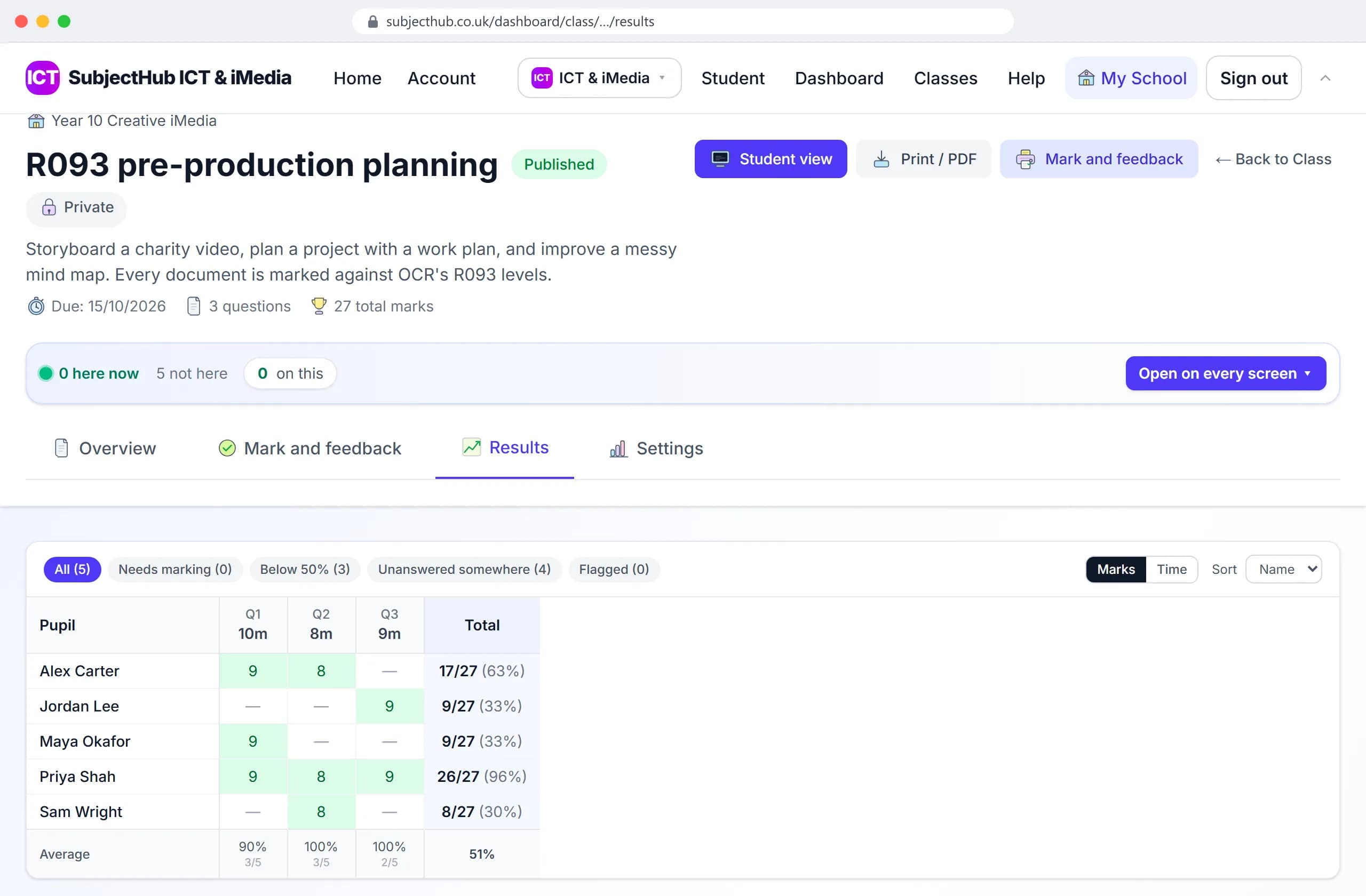
Marks fill the grid as pupils hand in, with filters for work that needs marking and pupils below 50%. Under the grid, each question's class average.
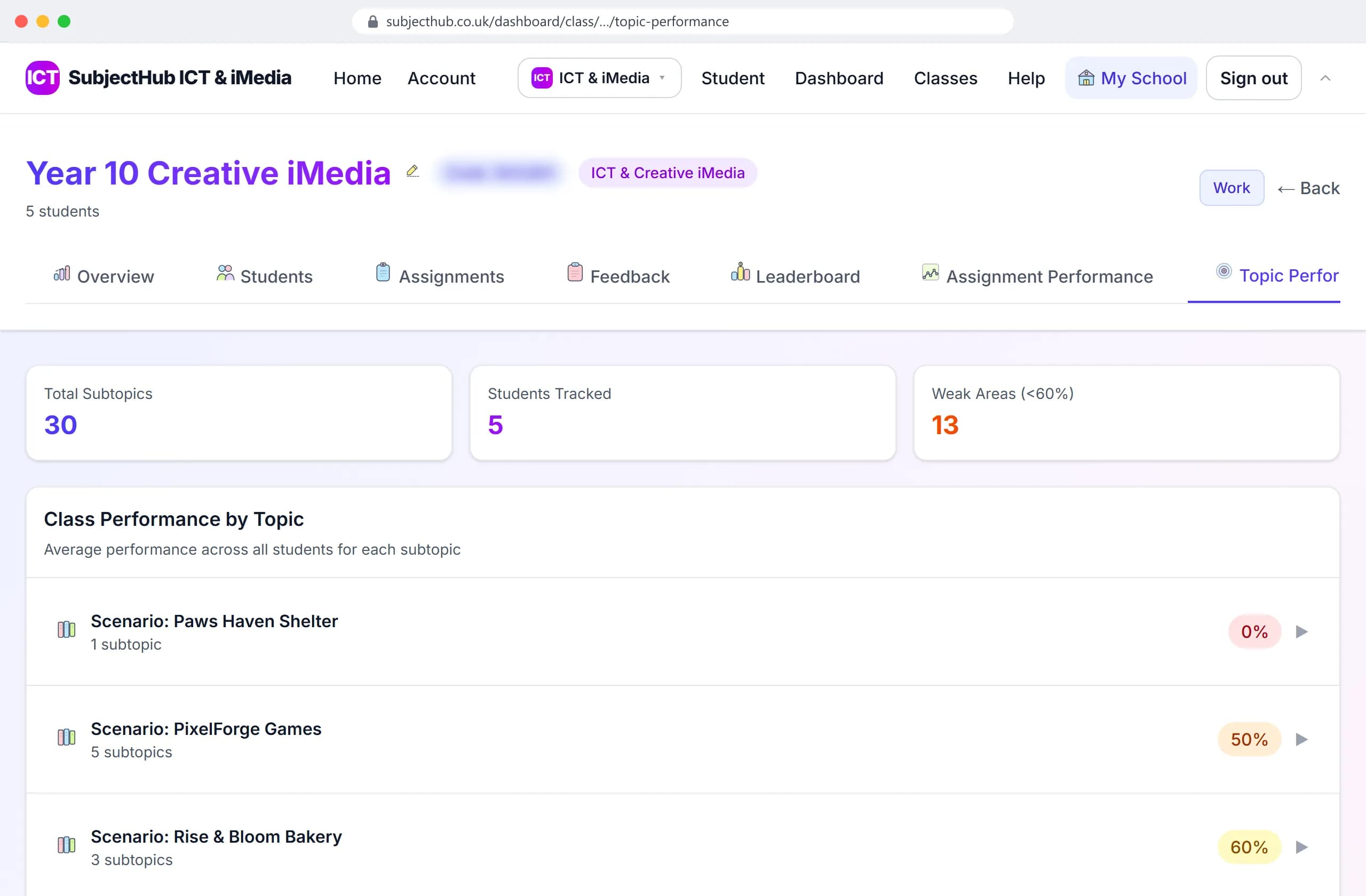
On the class page, every topic has its average and the weak ones are counted. Then set a follow-up from the library on the topic they found hardest.
A topic set with a due date, marked as it comes in. You open a markbook, not a pile of books.
Mock and practice papers in test mode: no hints or AI help, and marks by question and topic.
Leave a self-paced lesson or an assignment. The marking happens as they work, so the cover teacher needn't know the subject.
Five-a-day starters, topic mastery sets and games, all from the same question bank.
Every subject also comes with knowledge organisers, self-paced lessons with worksheets, learning games and its own interactive tools.
The same flow in every subject.
Subscribe by 31 October 2026 and your school gets all three packages, Computer Science, Business and iMedia, for its first year.