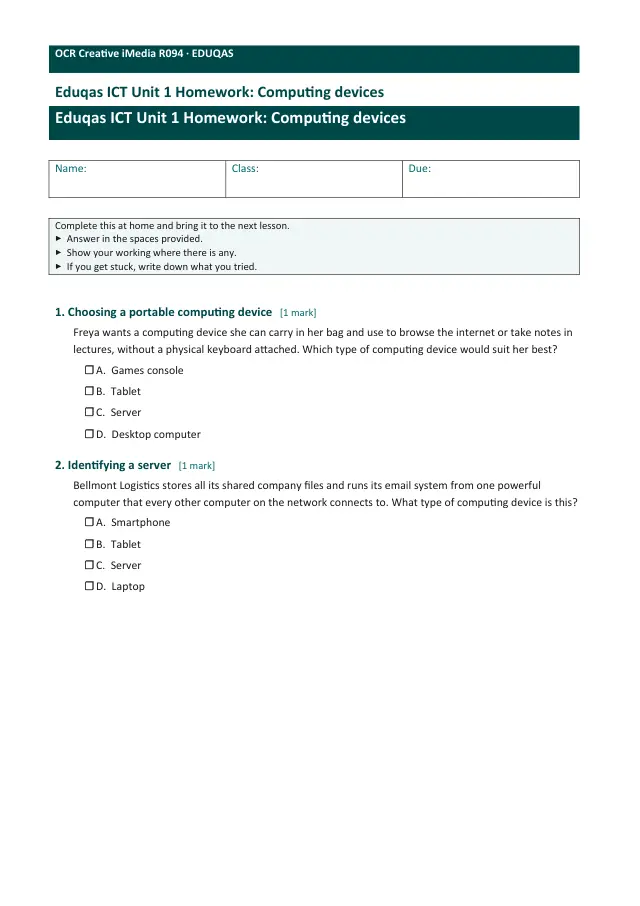
Computing Devices
Eduqas ICT (5539)GCSEWorksheetSubscription
Also online
This worksheet marks itself
Set it as homework or classwork and every answer is marked as pupils go, with feedback on what they got wrong. The scores go straight into your mark book, so you can see who needs help before the next lesson.
- 9 questions
- 27 marks
- about 30 minutes
- marked instantly
Question types: short answer, multiple choice, fill the gap, true or false, matching.
About this resource
Eduqas 5539 Unit 1, sub-point 1.1.1 — the opening lesson of the course. What a computing device is, the main types (desktop, laptop, tablet, smartphone, server, games console) and how to match a device to a user's need, for both personal and business use.
Lesson outline
- Do Now — What Do You Already Know?
- Keywords for This Lesson
- Quick Check — Peripheral or Not?
- What Is a Computing Device?
- Types of Computing Device
- Quick Check — Which Type of Device?
- Choosing Between Devices: Power vs Portability
- Quick Check — Matching Devices to a Need
- Hinge Check — What Really Matters?
- Computing Devices in Business
- Modelled Example — Justifying a Choice
- Main Activity, Part 1 — Plan Your Answer
Set · 59 worksheetsUnit 1 · Homework: worksheets
Unit bundleUnit 1 · Homework
More from Unit 1 · Homework
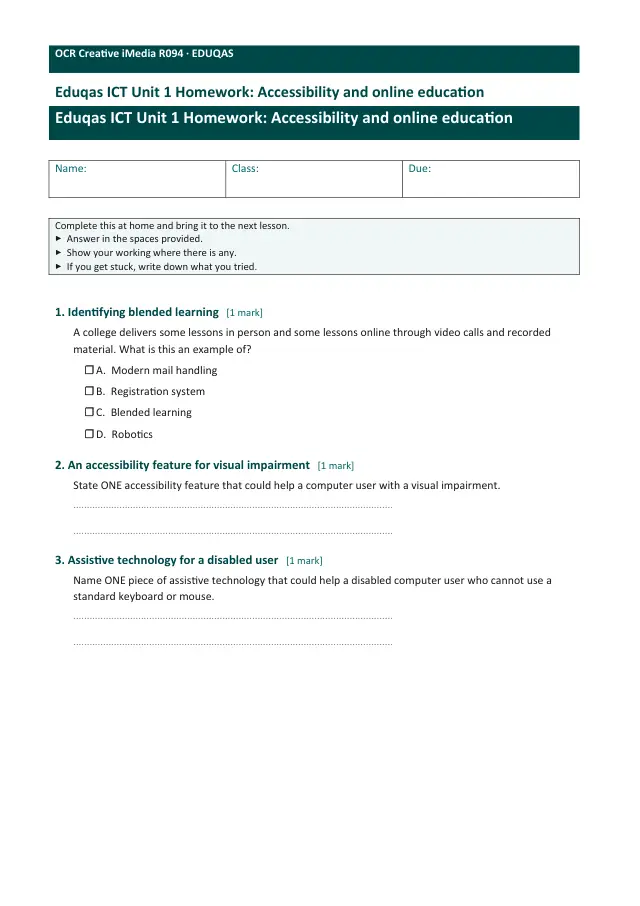
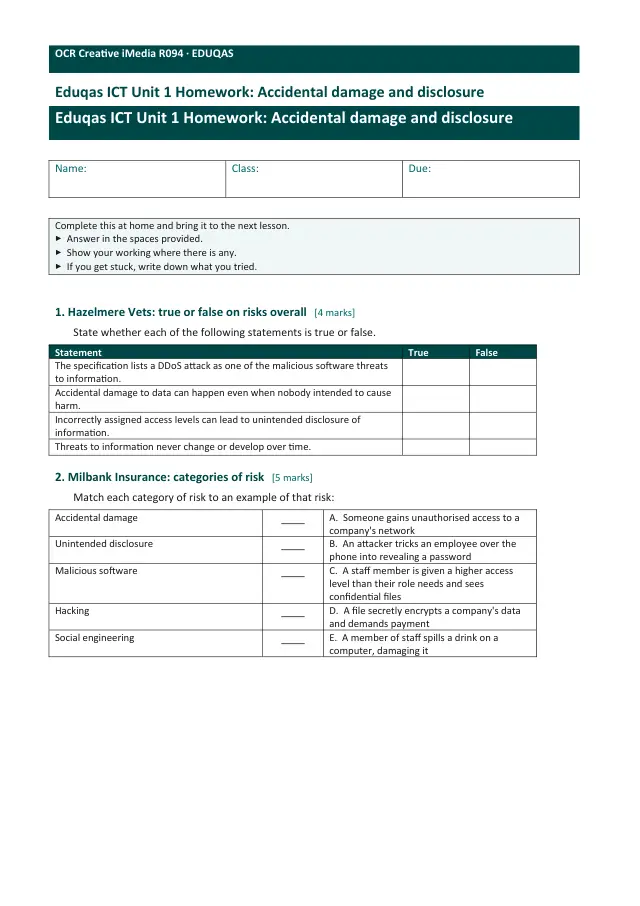
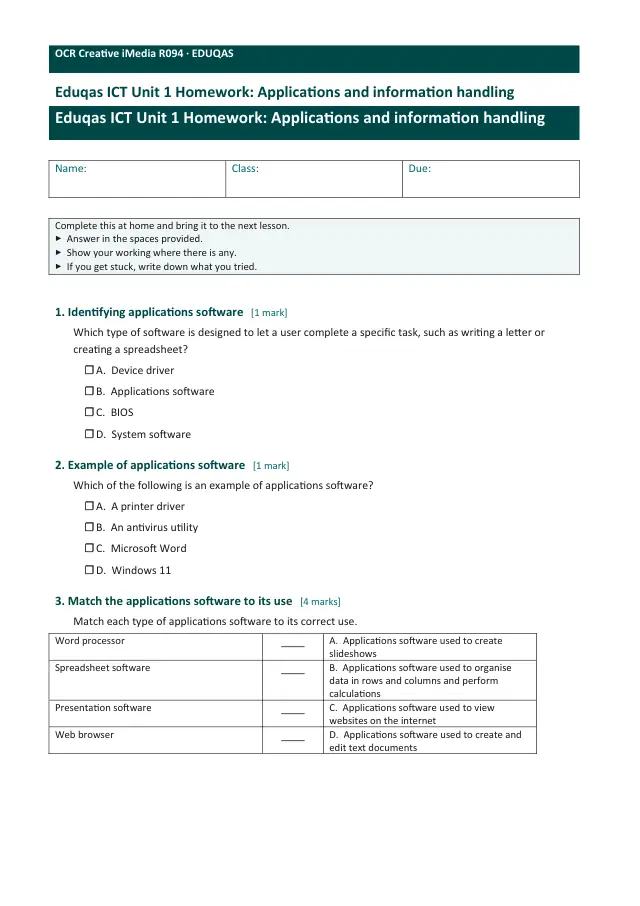
- Set · 59 worksheetsUnit 1 · Homework: worksheetsSubscription
- WorksheetAccessibility and online educationSubscription
- WorksheetAccidental damage and disclosureSubscription
- WorksheetApplications and information handlingSubscription
- WorksheetBanking and e-commerceSubscription
- WorksheetBusiness information systemsSubscription
- WorksheetCloud vs in-house serversSubscription
- WorksheetCloud, remote storage and securitySubscription