Start something new
Pick a story to start from, plan your own, or choose a page layout.
Learn it
About Comic Studio, and what schools get
A free online comic strip maker for schools
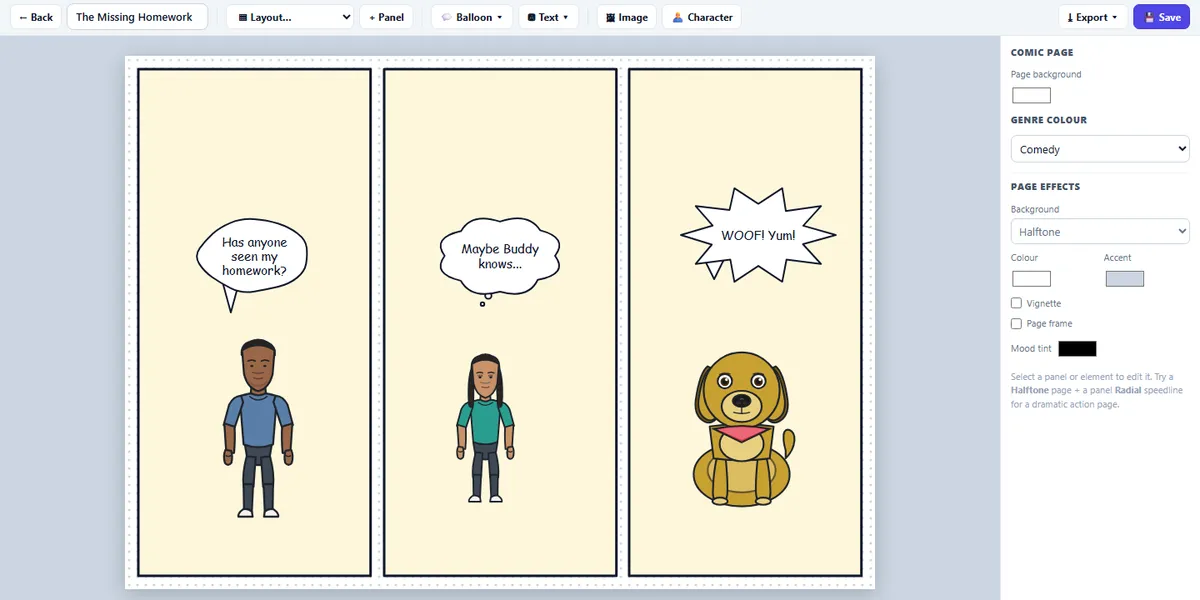
Comic Studio is where pupils plan and draw comics: pick a page layout, pose characters, add speech bubbles and sound effects, and give the whole page a look. It runs in the browser on school desktops and Chromebooks, and nobody needs an account to use it.
What pupils can do with it
- Lay out the page. Seven starter layouts from a single panel to a splash page, with panels that can be rounded, slanted, jagged or tilted.
- Pose the characters. Choose each character's pose, expression and outfit, or bring in a character they designed themselves.
- Every kind of balloon. Speech, thought, shout, whisper, electronic, narration, caption, title and sound effects, with tails that bend to the speaker.
- Set the mood. Ink, noir, halftone and retro looks, speed lines, textures and genre tints for action, horror, comedy, romance and sci-fi.
- Print or share. Export the finished page as a PNG or a PDF.
Made for Creative iMedia R095
R095 (characters and comics) asks pupils to plan and create an original comic. Comic Studio covers the layouts, characters, lettering and conventions the unit looks for, and with a school account each comic saves straight to their coursework evidence. English and history teachers use it for story and source work too.
Common questions
- Is it free, and do pupils need an account?
- It is free to use, with no account. Pupils can make a comic and download it. Uploading their own pictures, removing a background and saving work to an account need a sign-in, which opens in a new tab so nothing is lost.
- Does it work on school computers and Chromebooks?
- Yes. It runs in the browser, so there is nothing to install.
- Can pupils use characters they designed?
- Yes. Characters made in our Animation Studio character system can be posed in Comic Studio, so a pupil's own character can star in their comic.
- Can I set it as work and see what pupils make?
- With a school account, yes. Send it to every pupil's screen, launch it from a lesson or assignment so their work is saved against it, and open any pupil's comic to see it.
What a school account adds
Comic Studio stays free and is one of about twenty tools. A school account adds saved work that follows a pupil between devices, coursework evidence that files itself, Creative iMedia courses and resources, and a dashboard showing where a class needs help.
Also free: the Storyboard Studio, Image Studio, Creative iMedia resources and every other free tool.