Start something new
Start from a template, or start blank for your platform.
Learn it
About Slides Studio, and what schools get
Build interactive multimedia products in the browser
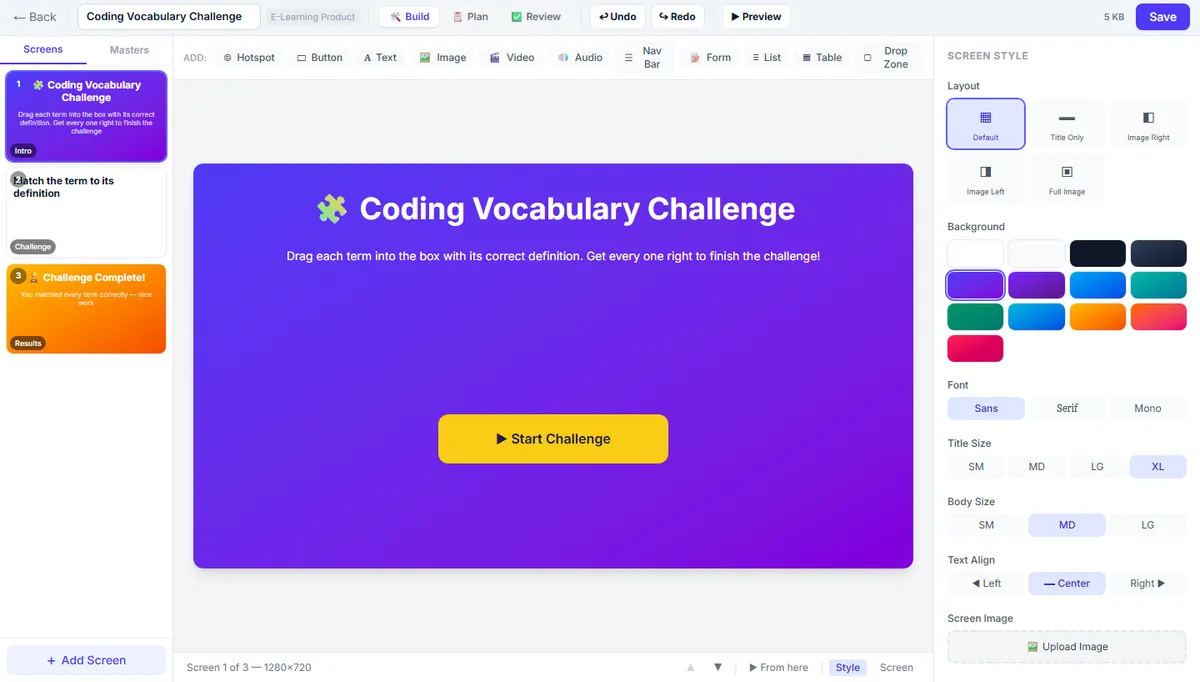
Slides Studio is where pupils make clickable multimedia products: e-learning modules, information kiosks, quizzes, mobile app screens and digital maps. They add buttons, hotspots and media, wire up what each one does, and test the result as a user would. It runs on school desktops and Chromebooks, and nobody needs an account to start.
What pupils can do with it
- Pick a platform. Website, portrait kiosk, phone app, e-learning or digital map, each at the right screen size.
- Make it interactive. Buttons, hotspots, rollovers, nav bars, pop-ups, forms, drag-and-drop zones, video and audio.
- Wire up the actions. Go to a screen, next, back, open a link, show or hide, and keep a score, with master slides for anything on every screen.
- Plan it first. A plan workspace holds the client brief, wireframes, storyboards, master page design, an asset table that fills itself in and a navigation diagram built from the links.
- Test and review. A test plan covering navigation, interactivity, inputs and outputs and multimedia, then a fitness-for-purpose review with recommendations.
- Export it. A self-contained interactive HTML file that runs in any browser, or a static PowerPoint.
Guided starts
Two guided walk-throughs: one explores a finished e-learning product, the other builds a tiny interactive product from blank.
- Explore an e-learning product (Guided tour of a finished product)
- Build a tiny interactive product (Step by step, from blank)
Made for Creative iMedia R097
R097 (interactive digital media) takes pupils from planning to creating to reviewing an interactive product. Slides Studio has a workspace for each stage, so the planning documents, the product and the testing all live in one file. Starter products include a rainforest e-learning module, a museum kiosk and a coding vocabulary quiz.
Common questions
- Is it free, and do pupils need an account?
- It is free to use, with no account. Pupils can build, preview and export a product. Uploading their own media and saving work to an account need a sign-in, which opens in a new tab so nothing is lost.
- Is it just a slideshow?
- No. Each screen is a page of an interactive product: pupils decide what every button, hotspot and form does, and the exported HTML behaves the same way in any browser.
- Does it cover the planning and review work too?
- Yes. Client brief, wireframes, storyboards, asset table, navigation diagram, test plan and review all sit beside the product in the same file.
- Can I set it as work and see what pupils make?
- With a school account, yes. Send it to every pupil's screen, launch it from a lesson or assignment so their work is saved against it, and open any pupil's product to see it.
What a school account adds
Slides Studio stays free and is one of about twenty tools. A school account adds saved work that follows a pupil between devices, Creative iMedia courses and resources, and a dashboard showing where a class needs help.
Also free: the Storyboard Studio, Mind Map Studio, HTML Studio and every other free tool.