Staying Safe Online: What's Private?
KS3Lesson packSubscription
Also online
This worksheet marks itself
Set it as homework or classwork and every answer is marked as pupils go, with feedback on what they got wrong. The scores go straight into your mark book, so you can see who needs help before the next lesson.
- 13 questions
- 35 marks
- about 45 minutes
- marked instantly
Question types: multiple choice, short answer, multi-part, wordsearch, matching.
Try one from this worksheet
Which of the following is the BEST advice for staying safe online?
Pick an answer: it's marked straight away, just as your pupils would see it.
About this resource
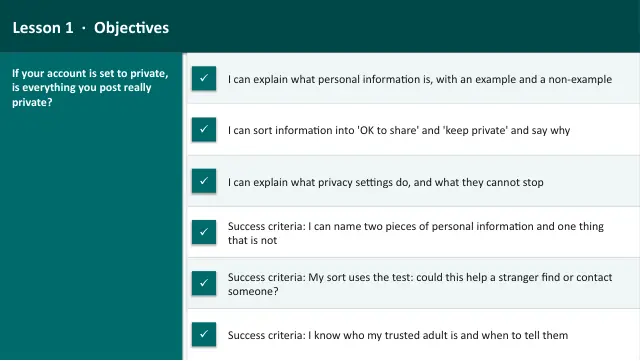
Smart, Safe & Responsible Online — Lesson 1 of 6. What personal information is safe or unsafe to share, how privacy settings work, meeting online 'friends' safely, and why telling a trusted adult is always the right move.
16 slides.
Lesson outline
- Hook — Three Harmless Posts
- Do Now — Retrieval
- Keywords for This Lesson
- Personal Information — What It Is and What It Is Not
- What's Safe to Share — and What's Not
- Quick Check — What's Safe to Post?
- Task 1 (guided) — OK to Share or Keep Private?
- Privacy Settings — Taking Control
- Hinge Check — Is a Private Account Private?
- Online "Friends" and Trusted Adults
- Task 2 (semi-guided) — Safe or Unsafe?
- Trusted Adults — Who and Why?
Unit bundleOnline Safety
More from Online Safety
- Lesson packBeing a Responsible Digital Citizen: Build a Safety WebsiteSubscription
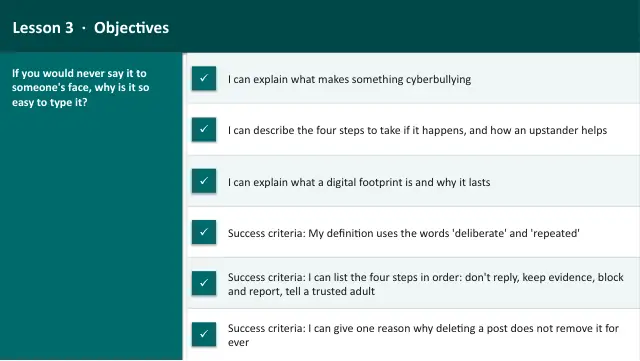
- Lesson packBeing Kind Online: Behaviour, Bullying & Your FootprintSubscription
- Lesson packMisinformation, Fake News & AI: Think Before You BelieveSubscription
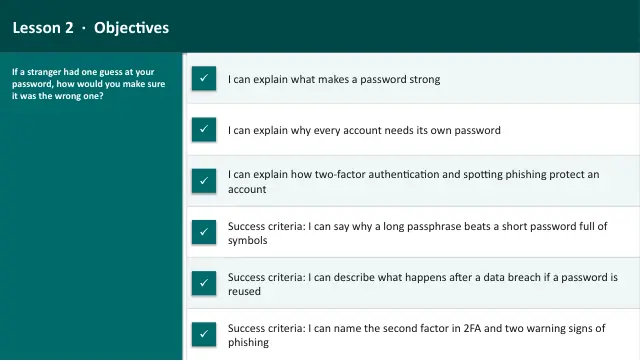
- Lesson packPasswords & Account SecuritySubscription
- Lesson packScams & Phishing: Spot the TrickSubscription
- Knowledge organiserSmart, Safe & Responsible OnlineSubscription
- Scheme of workOnline SafetySubscription