Primary Storage: RAM, ROM & Virtual Memory
OCR J2771.2aGCSELesson packSubscription
Also online
This worksheet marks itself
Set it as homework or classwork and every answer is marked as pupils go, with feedback on what they got wrong. The scores go straight into your mark book, so you can see who needs help before the next lesson.
- 10 questions
- 27 marks
- about 20 minutes
- marked instantly
Question types: short answer, multiple choice, matching, fill the gap, true or false.
Try one from this worksheet
Which of the following best describes why a computer needs primary storage?
Pick an answer: it's marked straight away, just as your pupils would see it.
About this resource
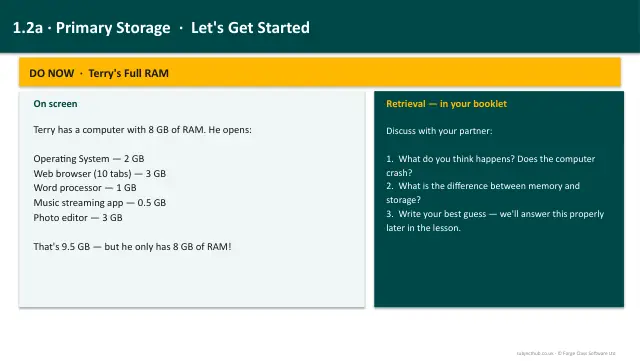
Understand the need for primary storage, the differences between RAM and ROM, and how virtual memory extends available memory.
15 slides.
Lesson outline
- Prior Knowledge Check
- Why Do Computers Need Primary Storage?
- RAM - Random Access Memory
- ROM - Read Only Memory
- Quick Check - RAM vs ROM
- RAM vs ROM - Side by Side
- Memory Hierarchy
- Volatile or Non-Volatile?
- What Happens When RAM Fills Up?
- Virtual Memory
- Virtual Memory - Fill in the Blanks
- Explain It - More RAM
Unit bundle1.2 Memory and Storage
More from 1.2 Memory and Storage
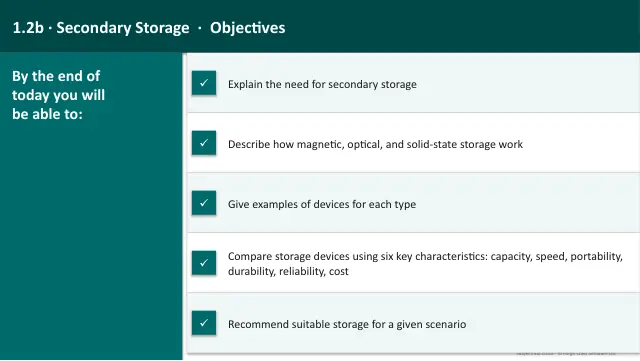
- Lesson pack · 1.2bSecondary Storage: Magnetic, Optical & Solid StateSubscription
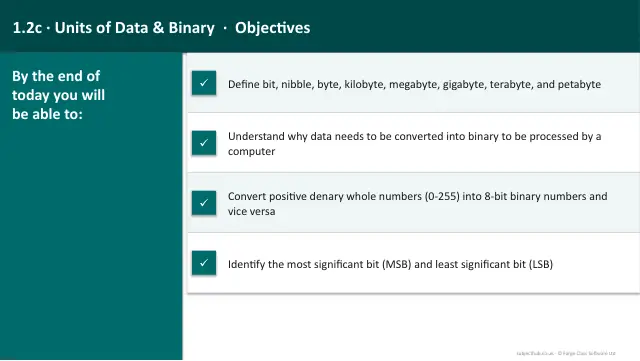
- Lesson pack · 1.2cData Units & Binary NumbersSubscription
- Lesson pack · 1.2eCharacter Encoding: ASCII & UnicodeSubscription
- Lesson pack · 1.2fRepresenting Images & SoundSubscription
- Lesson pack · 1.2gCompression: Lossy & LosslessSubscription
- Lesson packBinary Arithmetic & HexadecimalSubscription
- Knowledge organiser · 1.2Memory and StorageSubscription
- Scheme of work · 1.2Memory and StorageSubscription