Asking Questions of Data: COUNTIF & SUMIF (Excel)
KS3Lesson packSubscription
Also online
This worksheet marks itself
Set it as homework or classwork and every answer is marked as pupils go, with feedback on what they got wrong. The scores go straight into your mark book, so you can see who needs help before the next lesson.
- 13 questions
- 35 marks
- about 35 minutes
- marked instantly
Question types: short answer, multiple choice, true or false, matching, fill the gap.
Try one from this worksheet
What does COUNTIF do?
Pick an answer: it's marked straight away, just as your pupils would see it.
About this resource
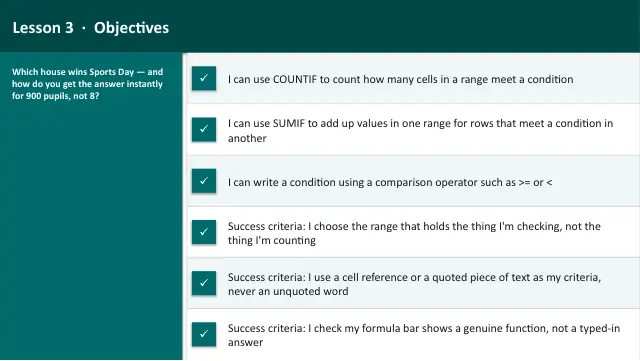
Data Detective (Excel track), Lesson 3 — counting and adding up data that meets a condition, using COUNTIF and SUMIF, in real Microsoft Excel / Google Sheets, with a school Sports Day as the real-world context. I do / we do / you do for each function, two hinge polls on the classic mix-ups, a spo…
18 slides.
Lesson outline
- Hook — Who Won Sports Day?
- Open the Real File
- Starter — Spot the Mistake
- Do Now — Retrieval
- Keywords for This Lesson
- Counting WITH a Condition — COUNTIF
- I Do — Count the Red House
- Hinge Check — Spot the Working COUNTIF
- We Do — Count the Blue House Together
- Excel Task — How Many Pupils per House?
- Adding UP WITH a Condition — SUMIF
- I Do — Total the Red House's Points
Unit bundleData Detective (Excel)
More from Data Detective (Excel)
- Lesson packData Investigation Capstone: The Party Budget (Excel)Subscription
- Lesson packFormulas and Functions: SUM, AVERAGE, MIN & MAX (Excel)Subscription
- Lesson packIntroduction to Spreadsheets (Excel)Subscription
- Lesson packLogic in a Spreadsheet: IF, Then Nested IF (Excel)Subscription
- Lesson packPresenting Data with Charts (Excel)Subscription
- Knowledge organiserData Detective (Excel)Subscription
- Scheme of workData Detective (Excel)Subscription