Variables and Input
This worksheet marks itself
Set it as homework or classwork and every answer is marked as pupils go, with feedback on what they got wrong. The scores go straight into your mark book, so you can see who needs help before the next lesson.
- 8 questions
- 17 marks
- about 27 minutes
- marked instantly
Question types: multiple choice, fill the gap, matching, true or false, multi-part.
Try one from this worksheet
Variable names follow rules: describe what is inside, lower-case, underscores between words, no spaces, and never start with a number. Which of these is a VALID Python variable name?
Pick an answer: it's marked straight away, just as your pupils would see it.
About this resource
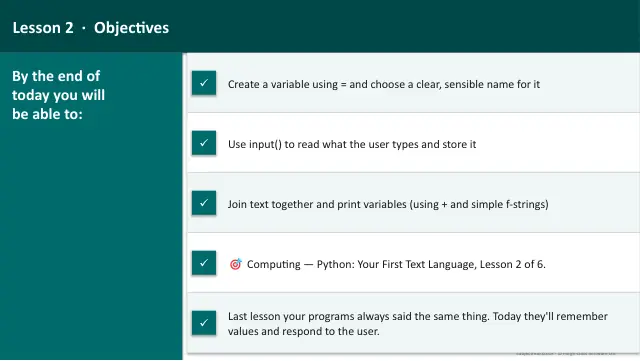
Computing — Python: Your First Text Language, Lesson 2 of 6. Creating variables with = and choosing good names, reading what the user types with input(), reusing stored values, joining strings with concatenation and simple f-strings, and printing variables.
12 slides.
Lesson outline
- Do Now — Retrieval
- Variables — Named Boxes
- Hinge Check — Good Variable Names
- Asking the User a Question
- Two Ways to Print a Variable
- Hinge Check — Predict the Output
- Main Activity — Mad Libs Story Generator
- Debug It — The Missing Gap
- Check — How Variables and Input Work
- Plenary — Back to Our Objectives
More from Python
- Lesson packMaking Decisions: SelectionSubscription
- Lesson packMeet Python: From Blocks to TextSubscription
- Lesson packNumbers and CalculationsSubscription
- Lesson packProject: Build a Python ProgramSubscription
- Lesson packRepeating Things: LoopsSubscription
- Knowledge organiserPython Your First Text LanguageSubscription
- Scheme of workPython Your First Text LanguageSubscription